

VSPHONE OFFICIAL FREE · NO ROOT · ZERO ADS

AUTO CLICKER ZERO ADS

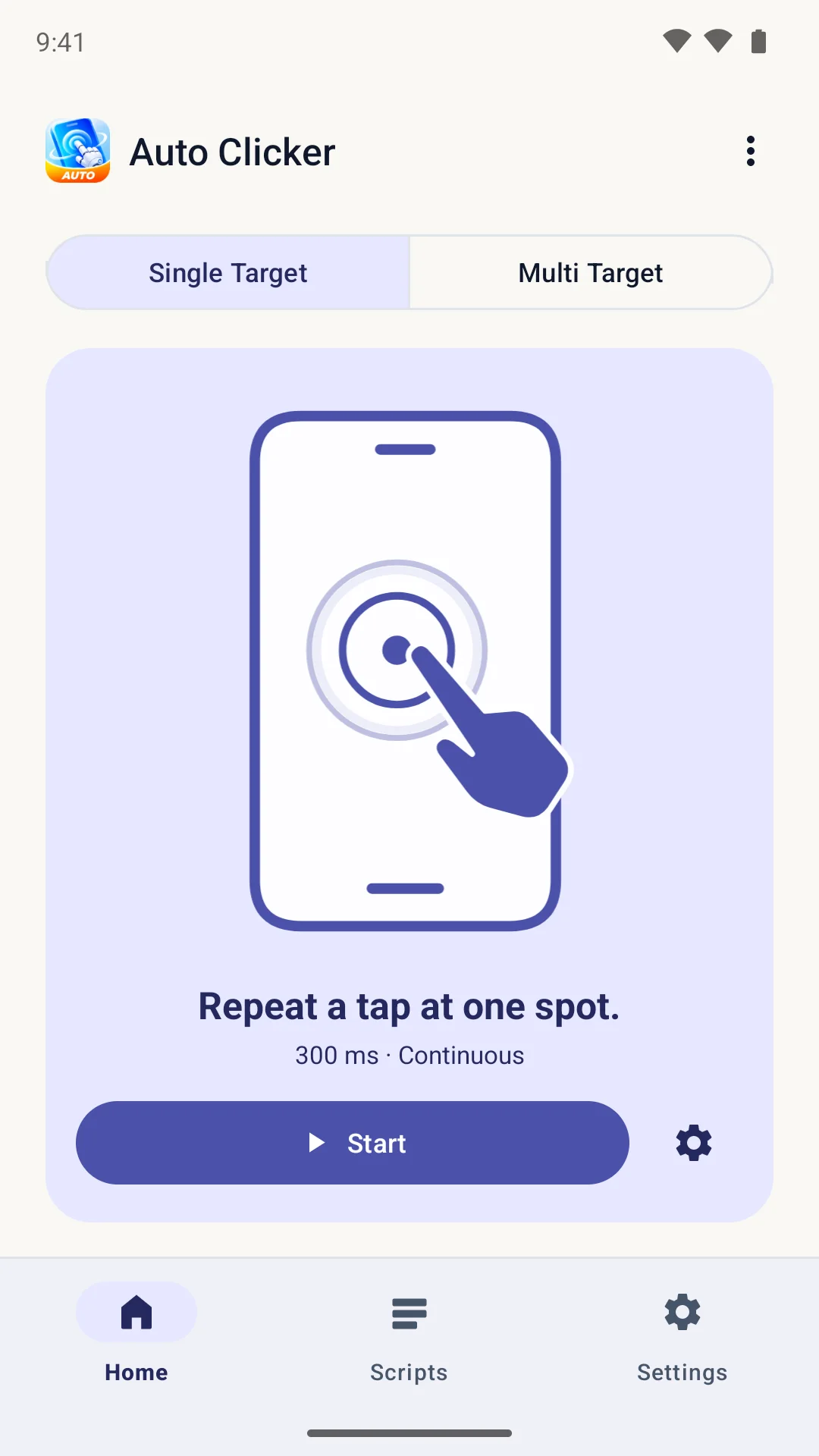
Single-target tapping, multi-point swipes, and portable scripts on Android 7.0+ without ads or screen reading. Scale to 24/7 screen-off AFK on VSPhone Cloud Phone.

Or get it on Google Play Store | Android 7.0+ · 36+ Languages

02 · PERFORMANCE · REAL DEVICE CAPTURE

Silky Execution, Unedited on Real Hardware

EXPERIENCE
100% Ad-Free
PRECISION
Sub-ms & Jitter
PRIVACY
No Screen Read
UNEDITED SAMSUNG REAL-DEVICE CAPTURE

Responsive Floating Controls in Real Action

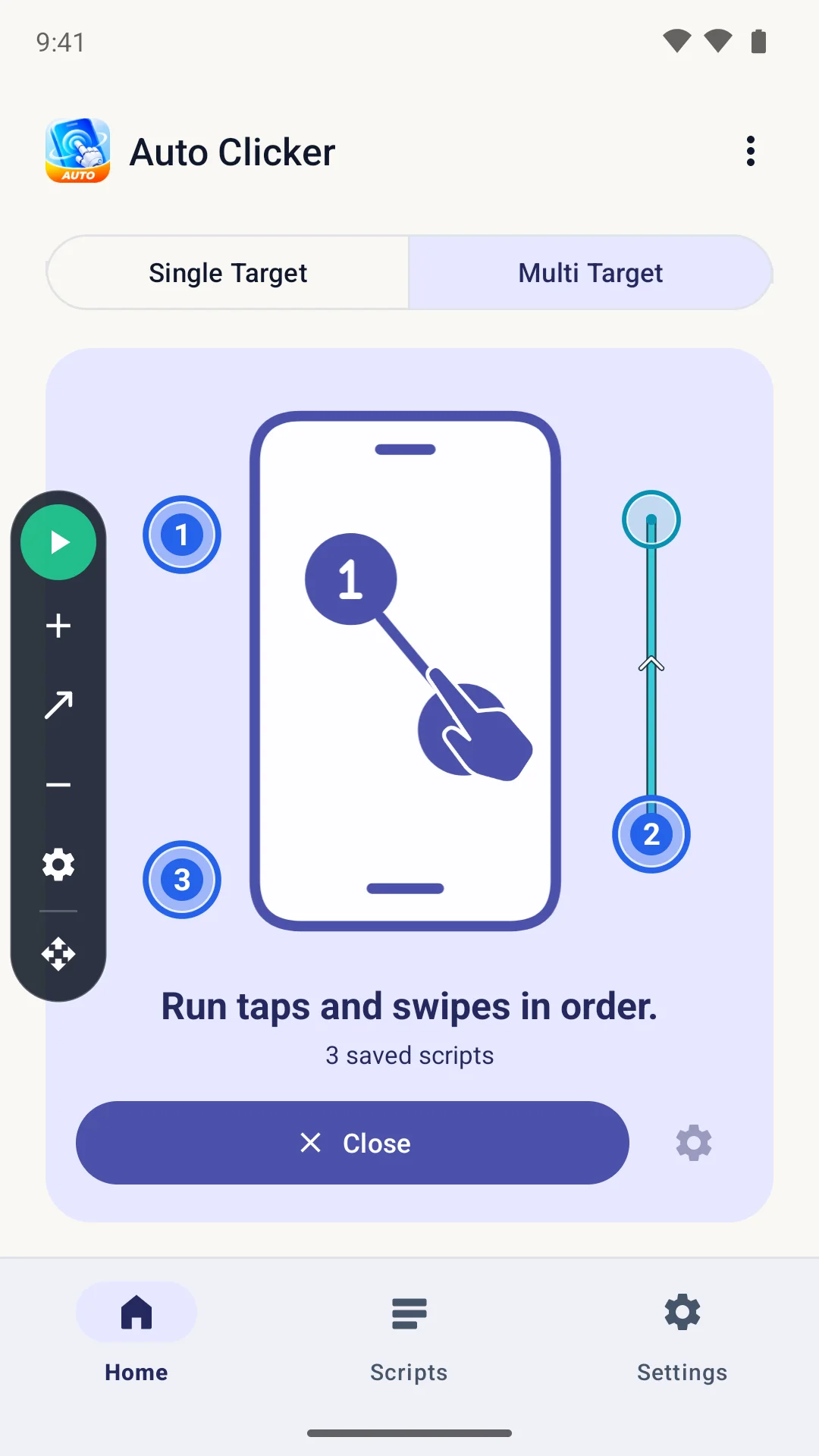
No synthetic mockups. Watch real single/multi-target toggling, collapsible dark floating controls, and zero-lag Android AccessibilityService gesture dispatch.

No Screen Reading
System-level read permission disabled
100% Ad-Free
Clean binary, zero popups
01 Single + Jitter

Single Target · Millisecond Precision

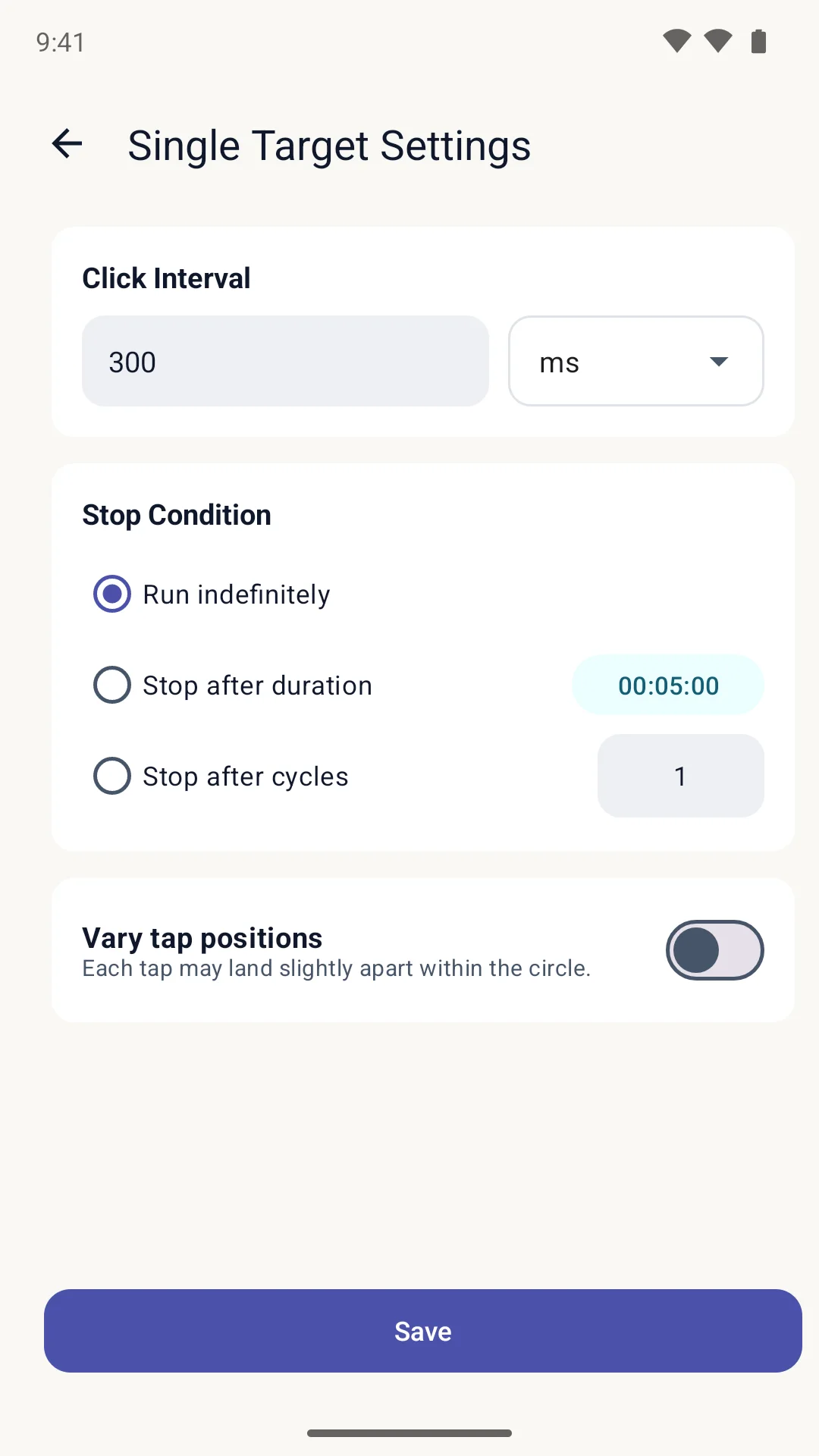
Configure tap intervals in milliseconds, seconds, or minutes. Turn on "Vary tap positions" so each tap lands slightly apart inside the ring.

  • Intervals in ms, sec, or min
  • Vary tap positions for natural jitter
  • Continuous, timed, or cycle-count stop rules
Single Target · Millisecond Precision
Anti-Detection Jitter
40ms · ±6px
VSPhone Cloud Phone 24/7 Multi-Instance Hardware
VSPHONE CLOUD · ARM CLUSTER 24/7 ONLINE · 0% LOCAL BATTERY

04 · VSPHONE CLOUD PHONE

Outgrow Local Limits.
Scale to 24/7 Cloud AFK

VSPhone Cloud Phone hosts dedicated Android instances in the cloud 24/7. Import your Auto Clicker scripts once, close the app, and farm non-stop across multiple accounts with zero local battery drain.

CLOUD HARDWARE
ARM Real Devices · Android 10–15
COMPLIANCE
Google CTS Certified · Low Risk
24/7 UPTIME
Screen-Off Hosting · 0% Battery Drain
MULTI-INSTANCE
Synchronized Group Control
Try VSPhone Cloud Phone Free →

05 · LOCAL VS. CLOUD COMPARISON

Choose the Right Setup for Your Automation

Auto Clicker by VSPhone is free forever on your phone—and scales effortlessly to VSPhone Cloud Phone whenever you need 24/7 AFK.

Capability Local Android Phone VSPhone Cloud Phone + Auto Clicker
Screen-Off / Overnight AFK Stops when screen locks 24/7 uninterrupted cloud execution
Battery & Heat Impact High drain & device heat 0% local battery & data usage
Multi-Account Automation 1 device = 1 active game Run multiple cloud phones in parallel
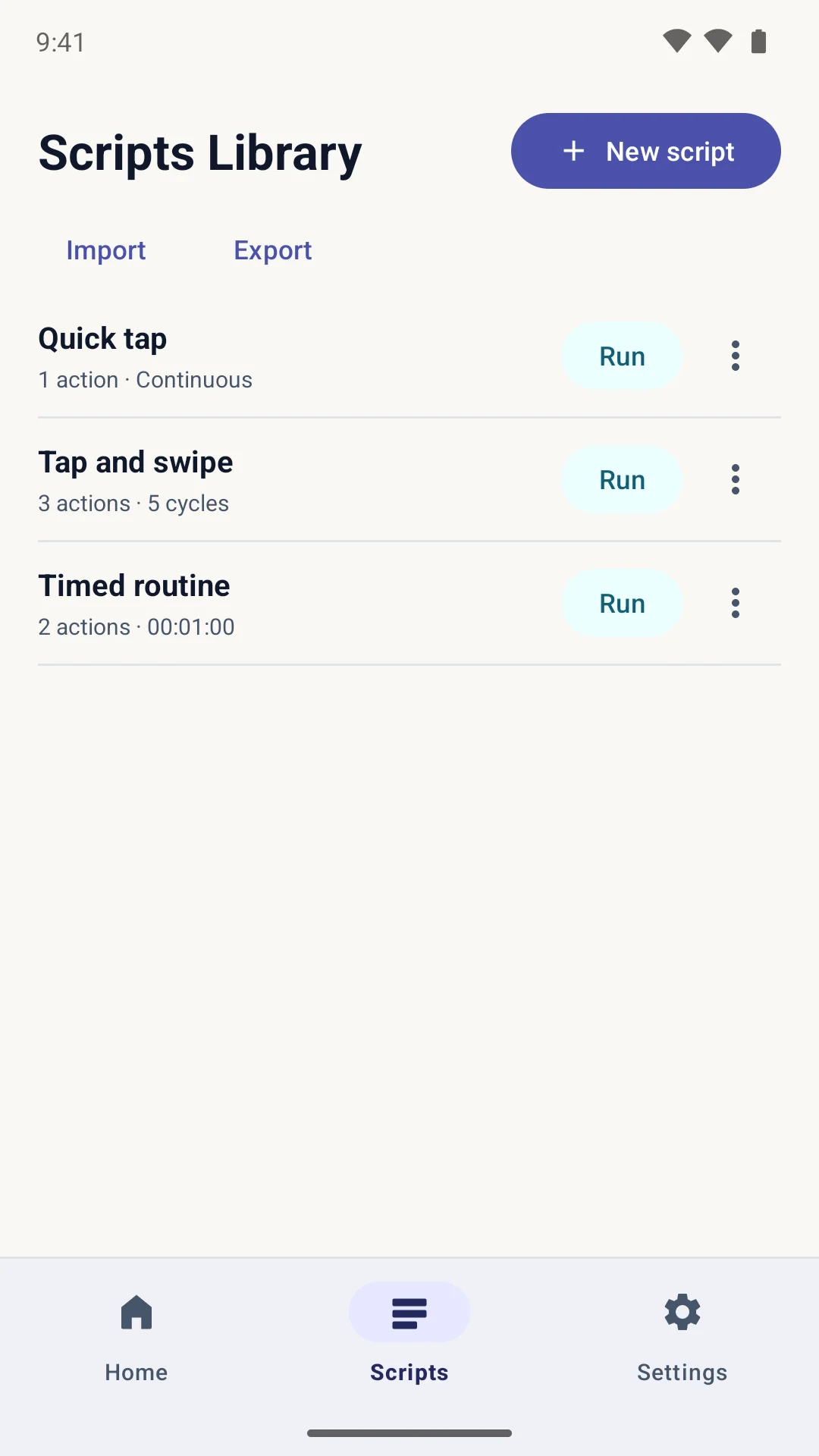
Script Migration Local JSON export/import Import same scripts in seconds
Root Requirement No Root required Ready-to-use cloud Android environment
STEP 01

Install & Enable Accessibility

Download Auto Clicker by VSPhone and enable its Accessibility Service in Android Settings. No Root needed.

STEP 02

Place Targets & Tune Timing

Drag target rings or swipe paths onto buttons, set tap intervals and stop conditions, and save reusable scripts.

STEP 03

Press Play — or Scale to VSPhone Cloud

Tap the green Play button on the floating bar, or export your script into VSPhone Cloud Phone for 24/7 AFK hosting.

Frequently Asked Questions

Why does Auto Clicker by VSPhone require Android Accessibility Service?
Android requires AccessibilityService to dispatch automated taps and swipes without Root access. Auto Clicker by VSPhone disables screen reading at the system level, so it cannot read screen text, passwords, messages, or personal content.
How can I run auto-clicking 24/7 with my phone screen turned off?
Android halts local accessibility gestures once your physical screen locks. To keep automating 24/7 with your phone off and zero battery drain, install Auto Clicker by VSPhone inside VSPhone Cloud Phone.
Is Auto Clicker by VSPhone really free with no ads?
Yes. Both the Google Play release and the official website APK are 100% free and contain zero third-party ads. The app is supported by our optional VSPhone Cloud Phone ecosystem.
What is the difference between the Official APK and Google Play version?
Both builds share identical features and local gesture privacy. Use Google Play for automatic updates, or download the signed Official APK directly for devices without Play Services or inside cloud phones.

What is Auto Clicker by VSPhone?

Auto Clicker by VSPhone is a 100% free, no-root, ad-free Android 7.0+ tap and swipe automation utility. It dispatches local single-target and multi-target gestures using AccessibilityService with screen reading disabled, and exports portable JSON scripts directly into VSPhone Cloud Phone for 24/7 screen-off AFK hosting.

VSPHONE CLOUD >

Start free with our zero-ad Auto Clicker—upgrade anytime to 24/7 multi-instance hosting on VSPhone Cloud Phone.

Visit VSPhone Cloud Phone ↗
VSPhone Cloud ↗

Downloading Auto Clicker APK

Official signed Android APK · Android 7.0+ · Zero Ads

RECOMMENDED · 24/7 AFK UPGRADE

Don’t burn your phone screen overnight

Install this exact Auto Clicker inside VSPhone Cloud Phone for 24/7 screen-off AFK farming, multi-account hosting, and 0% battery drain.

Explore VSPhone Cloud Phone →